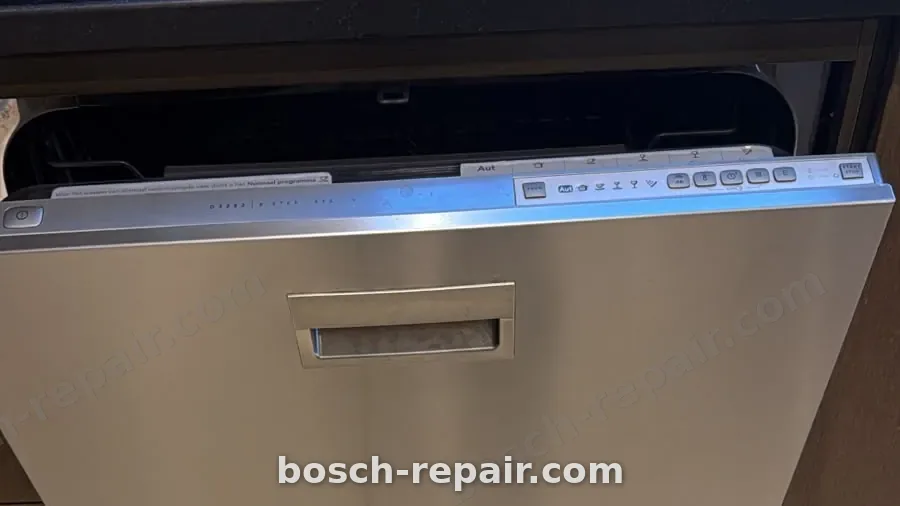
How to Reset a Bosch Dishwasher: Cancel, Power and Settings
"Reset" means four different things on a Bosch dishwasher, and most failed resets come from using the wrong one. You can cancel the programme that is running, cut the power and restore it, release a button lock, or restore the factory settings in the basic settings menu. Each has its own steps, and Bosch's own pages give different hold times for them.
This guide takes them one at a time, using only Bosch sources: Bosch's US owner-support page, Bosch UK and Bosch Singapore support pages, Bosch Egypt's "not turning on" page, and two Bosch user manuals (the SMS46NI20Q quick guide and the SMS6HMI01I information for use). We name the source each time. Regional pages are labelled as regional, because we found no Bosch UAE page on this topic. Where the sources disagree, we show both and do not pick one.
We are an independent Bosch appliance repair company, not the manufacturer, and we are not an authorised Bosch agent. If your dishwasher is inside Bosch's warranty, contact Bosch first. For faults, error codes and repair costs, see our Bosch dishwasher repair page.
At a glance
- To stop a running cycle: hold the reset or on/off button for about 3 to 4 seconds, depending on the Bosch source. The machine pumps out its water and ends the programme in about a minute.
- To clear a fault that looks electronic: switch the power off, wait, and switch it back on. Bosch pages give at least 5 seconds, and Bosch's error-code list gives 30 seconds.
- To change a programme once it has started: you cannot. Bosch's manual says you have to cancel it first.
- To unlock a dead-looking panel: check the button lock or child lock first. Bosch UK says hold the lock button for 3 to 5 seconds.
- To restore factory settings: use the "rE" option in the basic settings menu, if your model has it.
- When not to reset: a leak, a burning smell, a tripping breaker, or a code that keeps coming back.
Which reset do you need?
Match the symptom to the reset, and do not stack them. Run one, wait, and see what changed.
| What you see | Try this first | Section |
|---|---|---|
| Wrong programme chosen, or you need to stop the cycle | Cancel the programme | Cancel a running programme |
| Programme will not stop, or the machine seems stuck | Cancel, then power reset | Cancel, then Power reset |
| Lights on, buttons do nothing | Button lock or child lock, then power reset | Button lock and child lock |
| Display dead or odd, or the dishwasher will not start | Door check, then power reset | Power reset |
| Settings wrong after a power cut, or after a stranger used the menu | Basic settings or factory setting | Basic settings |
| Water on the floor, or a leak code | Do not reset | When a reset is the wrong move |
If more than one row fits, start with the one nearest the top of that row's column. A button lock is the cheapest thing to rule out, and a power reset is the next.
Cancel a running programme
This is the reset most people are searching for, and it is the one Bosch documents best. Three Bosch sources give three slightly different instructions.
| Source | Instruction | What happens next |
|---|---|---|
| Bosch US owner support | "Press Reset 4 Sec. or Start Button for approximately 4 seconds" | Residual water is pumped out and drained, about a minute, then the cycle is cancelled. Open the door and press On/Off |
| Bosch SMS46NI20Q quick guide | Press the button "for approx. 3 seconds" | The programme ends after about 1 minute |
| Bosch SMS6HMI01I manual (section 14.9) | Press the ON/OFF and reset button for about 4 seconds | All displays light up. When they go off, the display shows "0h:01m" and the residual water is pumped out. The programme ends after approximately 1 minute |
Why the hold times differ. The three sources describe three different machines, and none says that its time applies to a whole range. The US page names a button called Reset 4 Sec. The SMS46NI20Q guide does not label its button in the text we could read. Our reading: the difference between 3 and 4 seconds is the model, and not a mistake, so start at 4 seconds and keep holding until the machine responds. If your booklet gives a different time, follow your booklet.
How to know it has worked. Do not judge by the clock alone. On the SMS6HMI01I, the sign is that the displays light up and then settle on "0h:01m". On the US page, the sign is the sound of the pump emptying the tub. On either, wait about a minute before you do anything else.
What happens to the water. All three sources say the machine pumps out its residual water. That is why you should not open the door and walk away on the first second. The pump drains the tub first, and the programme ends afterwards.
The steps, in order.
- Hold the reset or on/off button as the sources above describe. Keep holding for about 4 seconds, and let go when the display changes.
- Wait for the pump to finish. On the SMS6HMI01I, that is the "0h:01m" display. The Bosch sources give about a minute.
- When the display goes dark or shows the end of the programme, press On/Off on the models that need it. The US page says to open the door and press On/Off.
- Open the door carefully. A cancelled cycle may still leave hot dishes and warm steam in the tub. This is our caution, and the Bosch pages above do not mention it.
- Check the tub for standing water. If a little remains in the base, that can be normal after a cancel. If the tub is still full after a few minutes, the problem is not the cancel, and the drain is the next thing to check. See our dishwasher repair page for the drain symptoms.
If nothing happens. If the machine does not respond to a 4 second hold, the panel may be locked. Look at the section on the button lock below. If the display is dead, go to the power reset. If a leak code is showing, stop. We cover that in the section on when a reset is the wrong move.
Interrupting is not cancelling. The SMS6HMI01I manual separates them. Section 14.8 describes interrupting a programme as a pause: press the ON/OFF button, then press it again to resume. A pause keeps the programme. A cancel ends it. If you only want to add a forgotten glass, the pause is the right tool, subject to the safety note about hot water below.
Changing the programme or a setting once the cycle has started
You cannot change a programme while it is running. Bosch's SMS6HMI01I manual, section 14.5, says: "You can only change a programme when running if you cancel it." The steps are:
- Cancel the programme, as above.
- Wait for the displays to settle, about a minute.
- Select the new programme and start it.
The Bosch pages we read do not say whether the dishwasher keeps the partly finished cycle's progress. They describe a cancel as ending the programme, so treat the new programme as a fresh start with a full cycle time.
What this means for a mistake. If you started Eco instead of Intensive, or the other way round, the cheapest correction is to cancel and restart. The cost is the water that the first minutes used, and the time. We found no Bosch figure for that water, and we do not state one.
Opening the door mid-cycle. The Bosch pages we read do not describe what happens when you open the door during a wash. Our caution: a dishwasher mid-wash holds hot water, and steam can come out when you open the door. If you need to add something, use the pause, wait a moment, and open the door a little at first. Do not put your face over the opening.
Delay start is a setting, not a pause. If you set a delayed start by mistake, the machine will wait. That is covered in the section on the timer.
Power reset
A power reset means removing power to the machine and restoring it. Bosch's pages give several different waiting times:
| Source | When it applies | Wait |
|---|---|---|
| Bosch Singapore, "dishwasher won't start but has power" | A fault that may clear after a full power reset | Pull the mains plug or switch off the fuse, wait at least 5 seconds, reconnect |
| Bosch US troubleshooting, "Dishwasher Not Starting" | Power cycle | Unplug, wait at least 5 seconds, reconnect |
| Bosch US troubleshooting, "Dishwasher Won't Stop Running" | Turn the unit off and on first. If that fails, cut power at the breaker or unplug, then restore | "A few minutes" |
| Bosch error-code list (US), quoted on our dishwasher page | Faults such as E09 | Cut the power for 30 seconds, then restart |
| Bosch SMS6HMI01I manual, section 18 | A software or electronics fault | Press the main switch button for about 4 seconds |
What to do with the disagreement. The 5 second figure is the minimum. The "few minutes" figure is for a machine that will not stop. The 30 second figure is attached to specific fault codes. The SMS6HMI01I manual describes a different kind of reset, held on the machine's own switch, with no power removal. None of these contradicts the others. They apply to different faults. Our suggestion for a first attempt on any unexplained fault: switch off at the isolator or breaker, wait a full 30 seconds so that you are not guessing, restore the power, and try once.
How to cut the power safely.
- If the dishwasher plugs into a socket you can reach, switch the socket off at the wall and pull the plug. Bosch Singapore describes pulling the mains plug or switching off the fuse.
- If the machine is connected permanently and has no plug, use its isolating switch or the breaker for that circuit. We do not know your building's wiring, so we cannot tell you which breaker it is.
- Do not pull the plug with wet hands. If there is water on the floor around the socket or under the machine, do not go near it. Switch off at the board and message us on WhatsApp.
- Wait the time in the table above. We suggest 30 seconds as a default.
- Restore the power, close the door firmly, and select a programme.
Do it once. Bosch's list treats the reset as a test of whether the code returns. Our rule, which is ours and not Bosch's: if the same fault returns after one clean reset, stop. Each restart asks a failing part to work again, and repeated restarts can turn a small repair into a larger one.
What a power reset does and does not do. It restarts the machine's electronics. Our reading of the Bosch pages: it can clear a fault that is a one-off glitch, such as a brownout or a power cut in the middle of a cycle. It cannot repair a part that has failed. If the code returns, the part or the wiring is the cause.
If the machine will not start after the reset. Bosch Egypt's "not turning on" page lists the checks to make before anything else: the mains cable fully inserted at the back of the dishwasher, the plug seated in the socket, the socket tested with another appliance, and the residual-current breaker and domestic fuse checked. It also says an open door will prevent the dishwasher from starting, and that if the door lock is snapped over you should close the door "with more force". Bosch Singapore adds that a defective door latch stops a start even when the door looks closed, and advises against doing that repair yourself. For latch and switch work, our typical range is AED 180 to AED 340.
Button lock and child lock
A locked panel looks like a dead one, so check this before any reset. Bosch describes two features, and they are not the same.
Button lock (SMS6HMI01I manual, sections 14.6 and 14.7). Press the button for approximately 3 seconds to activate it. It prevents "accidental or incorrect" operation while the programme is running. Deactivation works the same way, again for about 3 seconds. The manual's safety section also says to "use the childproof lock if fitted", and gives no operating steps for it in the sections we read.
Child lock (Bosch UK support page). The UK page describes two methods:
- Control panel: find the child lock button, usually marked with a padlock or key symbol, though the location varies by model. Press and hold it for about 3 to 5 seconds. The lock is on or off when you hear a beep and, or, the symbol appears or disappears.
- Manual catch: on models with one, the catch sits in the centre above the door. To lock, pull it towards you and close the door. To open the door with the lock on, press the catch to the right and open the door. To deactivate it, press the catch to the right, then backwards.
The UK page also says that the only way to get the control back while the lock is on is to deactivate the child lock. A power reset does not appear on that page as a way round it, and we do not suggest one. If you cannot find the lock button or the catch, your booklet shows it for your model.
Do not confuse it with the washing machine. Our washing machine reset guide covers that one. Bosch Egypt's child lock page describes a washing machine procedure with a "CL" display and a "rpm" and "finished in" button combination. That is for washing machines and does not apply here.
If the symptom is a panel that does nothing:
- Look for a key or padlock symbol on the display, or a lit lock indicator.
- Hold the lock button for 3 to 5 seconds, and listen for the beep.
- If your model has a catch above the door, check its position.
- If the panel is still unresponsive, go to the power reset.
- If it is unresponsive after a power reset, with no lock, the panel or control module is the likely cause, and you should book an inspection. Typical control module range: AED 350 to AED 540.
Basic settings and the factory setting
The basic settings menu holds the values that a power cut does not usually change: water hardness, rinse aid dosing and a few others. Bosch's SMS6HMI01I manual, section 15, lists them and the way in. The two manuals we read use different button sequences, so treat the steps below as an example and your own booklet as the rule.
Entering the menu (SMS6HMI01I, section 15.2). Press the button for 3 seconds. The display shows "Hxx". Press repeatedly to move to the setting you want, press repeatedly to choose its value, then press the button for 3 seconds to save.
The settings it lists (section 15.1):
| Setting | Display | Default | Range |
|---|---|---|---|
| Water hardness | H | H04 | H00 to H07 |
| Rinse aid dispensing | r | r05 | r00 to r06 |
| Intensive drying | d | d00 | d00 to d01 |
| Wi-Fi | Cn | Cn0 | Cn0 to Cn1 |
| Remote Start | rc | rc1 | rc0 to rc2 |
| Factory setting | rE | not applicable | Restore changed settings to the factory settings |
A different sequence on another model. The SMS46NI20Q quick guide sets water hardness as follows: press the button, hold programme button A and press another button repeatedly until the display shows H:xx, release programme button A, press programme button C repeatedly until the correct hardness shows, then press the button to save. That is not the SMS6HMI01I sequence. The point is not to memorise either. It is to use the booklet for your model code, and to expect that a guide written for another model will not work on yours.
Water hardness. The SMS6HMI01I manual says to find your hardness first, in its section 10.1, and gives an example: 16 to 20 °E corresponds to H04. For 0 to 8 °E, it says to set H00, which switches the water softening system off. We cannot give you a Dubai figure, because the right value depends on the water supplied to your building. Ask your building management or use a test strip. Our Serie 4 and Serie 6 guides cover the salt and softener in more detail.
Rinse aid. The same manual, sections 11.1 to 11.3, says to fill the dispenser "up to the max mark". It adds that lower values reduce streaking and higher values reduce water marks, and that r00 switches dosing off. The default is r05.
The factory setting (rE). Section 15.1 describes "rE" as restoring changed settings to the factory settings. The confirmation prompt in the copy of the manual we could read was cut off ("Start with YES / Confirm with"), so we cannot quote its steps. Follow the prompt your own machine shows. Section 6.2 of the same manual says that resetting the appliance to the factory settings also resets the Favourite programme.
Before you restore factory settings, write down your own.
- Open the menu and note your hardness, rinse aid, drying and Wi-Fi values.
- Take a photo of each, if the display is readable.
- Only then restore the factory settings.
- After the restore, enter your values again. Bosch's manual says to set the hardness to match your water, so a factory value that does not match yours is worth correcting.
Do not use rE as a fault fix. Our reading of the Bosch manual: it restores settings and does not repair anything. It is useful if someone has changed the settings and you do not know what they are. It will not clear a failed heater or a blocked drain.
Delay start, the timer and the clock
A search for "how to set time" on a Bosch dishwasher can mean a delayed start or a clock. They are different.
Delayed start (SMS6HMI01I, section 14.4, "Setting timer programming"). The manual says you can delay the start of a programme by up to 24 hours. Press the timer button and "h:01" appears. Set the start time, then press the button to activate it. To deactivate it, press repeatedly until "h:00" appears.
Why this matters for a reset. A delayed start looks exactly like a machine that will not start. The door is closed, the lights are on, and nothing happens. If you pressed the timer button by mistake, or someone set it, you will see a number of hours and not a running programme. Check for "h:" before you do anything else. Our dishwasher page lists the same check.
A clock. The Bosch manuals we read do not include a clock-setting procedure, and we found no Bosch page for it. Some dishwashers display the time remaining and not the time of day. If your dishwasher has a clock, the booklet for your model shows how to set it. We do not offer steps we cannot source.
Wi-Fi and Home Connect settings
If your dishwasher has Home Connect, two lines in the basic settings concern it. The SMS6HMI01I manual lists "Wi-Fi" with the values Cn0 (default) and Cn1, and says the setting "switches the wireless network connection off". It lists "Remote Start" with values rc0 to rc2 (default rc1). The meanings of the three Remote Start values were not legible in the copy we read, so check your booklet before changing that setting.
What we could not find. The manual explains Home Connect set-up in section 16.2, but gives no network reset procedure. We found no Bosch page that does. If your dishwasher has lost its app connection, the likely causes are outside the dishwasher: the router, the Wi-Fi password, or the app. Our suggestion: confirm the dishwasher works normally at its own panel first. If it does, the app link is not a dishwasher fault.
Which models have Home Connect. Bosch lists Home Connect in every series on its comparison page, which we read as "on selected models". We cover which UAE codes carry it in the Serie 4 and Serie 6 guides.
Silence Plus, Super Silence and Series 2, 4 and 6
Many of the searches that lead here name a series: "reset Bosch dishwasher series 4", "series 6", "Silence Plus". We looked for any Bosch page that ties a reset method to a series, and found none. What the Bosch pages show is differences by model code, not by series name.
What this means in practice.
- Silence Plus and Super Silence are covered in our Serie 4 and Serie 6 guides as noise features. We found no Bosch page that gives them a separate reset.
- The cancel hold time is 3 or 4 seconds on the pages we read, depending on the model. We cannot tell you which series uses which.
- The button lock is described on one manual and the child lock on a UK support page. Neither says which series have them.
- Basic settings use different button sequences on the two manuals we read.
What to do. Find your full model code, which is on the rating plate on the door edge, and look up the booklet for that code on Bosch's site. Your booklet is the one document that is certain to describe your machine. If you cannot find the code, send us a photo of the rating plate and we can tell you what the control looks like.
When a reset is the wrong move
A reset asks the machine to try again. That is fine for a glitch. It is the wrong answer when the machine is telling you something has gone wrong.
A leak. Bosch builds leak protection into the base of a dishwasher: a float that triggers when water collects in the tray. The code that goes with it is E15. Bosch's instruction for it is to turn off the water supply and contact support, and not to reset and carry on, because the float has done its job and the leak is still there. Read our E15 guide. If you can see water on the floor, switch off the power, turn off the tap and do not run the machine again until it is found.
A code that returns. If a code comes back after one reset, the reset did not fix it. The code pages explain what each means: E22 for a filter or pump problem, E24 for a drain problem, and E09 for a heater fault. Resetting again will not change the answer.
A tripping breaker. If the breaker trips as soon as you start the machine, stop. Our dishwasher page says a tripping switch usually points to water reaching the electrics. Do not keep resetting the breaker.
A burning smell, smoke or a hot plug. Switch off at the board and message us on WhatsApp. Do not run another cycle to see.
A door that will not latch. If the door does not close with a click, the machine will not start, and a reset will not change that. Bosch Singapore says a defective latch stops the dishwasher starting even when the door looks closed, and that the parts must be replaced.
Repeated "stuck" cycles. If you have had to cancel the same programme several times because it never finishes, our reading is that a fault is being hidden, such as a slow drain, a failing heater or a struggling pump. Cancelling and restarting does not diagnose it.
An old dishwasher that has started to need resets. Our rule of thumb, which is ours and not a Bosch figure: if you are resetting the same machine more than twice in a month, book an inspection.
After a reset: a short test run
After any reset, check that the machine is working before you load it with a full set of dishes.
- Close the door firmly and select the shortest programme the machine offers.
- Start it, and stay in the kitchen for the first few minutes. Listen for water entering, then the pump.
- Look for water under the machine and at the door edge.
- Check that the display counts down as expected.
- At the end, open the door carefully and check that the tub has drained.
If it fails the test run, do not repeat the reset. Write down what you saw and message us on WhatsApp.
What we do if the reset does not work
An inspection starts with the questions in this guide. We check the door and latch, the isolating switch and supply, the timer, the lock and the settings, so that you do not pay for a visit that a button hold would have solved. Then we test the part that matches the symptom.
What survives a reset. Bosch Singapore names a defective door latch. Our reading is that a dead display or a control module fault is the other common cause when nothing else is wrong, and the codes on our dishwasher page have their own causes. Typical repair ranges: latch or switch work AED 180 to AED 340, and control module work AED 350 to AED 540, excluding 5% VAT.
The AED 99 inspection includes the visit, the diagnosis and a written quote. If you approve the repair, the AED 99 comes off the price. If you decline, it is all you pay. Payment is by card, cash or bank transfer, and every visit gets a VAT invoice with the part numbers listed.
If your dishwasher is under warranty, contact Bosch first. Our guide to authorised versus independent repair explains how to decide. If the warranty has ended, our 90-day warranty covers the repair we make.
What to tell us when you book
The more precise the booking, the more likely the first visit ends in a finished repair. Have these ready:
- The full model code from the rating plate, on the door edge.
- What you did, in order. For example: "Held the reset button for 4 seconds, cut the power for 30 seconds, tried again."
- What the display showed at each step, and a photo of it.
- Any code, and whether it returned after the reset.
- Whether a leak, a smell or a breaker trip came first.
- Whether a lock symbol or an "h:" delay display was showing.
- Whether you changed any basic setting or restored the factory setting.
- Home Connect. Whether the app works and whether the machine runs from its own panel.
- Age and history. How old the machine is and whether it has been repaired.
- Access. Building name, apartment and parking, and any approval your building needs. For an integrated machine, say whether the panel hides the controls.
A short video of the fault, such as a display that flickers or a pump that hums, helps. Send it by WhatsApp.
Frequently asked questions
How do I reset a Bosch dishwasher?
It depends which reset you mean. To cancel a running programme, hold the reset or on/off button for about 4 seconds on the models Bosch's US page and SMS6HMI01I manual describe, or about 3 seconds on the SMS46NI20Q guide. To clear a fault, cut the power, wait and restore it.
How do I cancel a cycle on a Bosch dishwasher?
Hold the reset or on/off button for about 3 to 4 seconds, depending on your model. The machine pumps out its water and ends the programme in about a minute. Wait for the display to settle before you open the door.
Can I change the programme on a Bosch dishwasher after it has started?
Not directly. Bosch's SMS6HMI01I manual says you can only change a programme while it is running if you cancel it. Cancel, wait for the display to settle, then select the new programme.
How long should I switch off the power to reset a Bosch dishwasher?
Bosch Singapore and Bosch US say at least 5 seconds. Bosch's error-code list gives 30 seconds, and Bosch US gives "a few minutes" for a machine that will not stop. We suggest 30 seconds as a default and one attempt only.
How do I factory reset a Bosch dishwasher?
On the SMS6HMI01I, enter the basic settings by holding the button for 3 seconds and choose "rE", which restores changed settings to the factory settings. Not every model has it. Write down your hardness and rinse aid values first, and follow your own booklet.
My Bosch dishwasher buttons do nothing. Is it broken?
Check for a button lock or child lock first. Bosch UK says to hold the lock button for 3 to 5 seconds until it beeps or the symbol clears. If there is no lock and a power reset does not help, the panel or control module may have failed.
Is there a different reset for a Bosch Silence Plus or Series 4 or 6 dishwasher?
We found no Bosch page that gives a separate method by series or by name. The Bosch pages we read differ by model code. Use your booklet for your code.
Why will my Bosch dishwasher not start after a reset?
Check the door, which must latch fully, then the timer for an "h:" delay, then the button lock, then the socket and the breaker. If a leak code or a tripping breaker is involved, do not keep resetting. A defective door latch also stops a start, per Bosch Singapore.
Will resetting my dishwasher affect my warranty?
No Bosch page we read says that a user reset does. Cancelling a cycle and cutting power are steps Bosch itself describes. If your dishwasher is still in warranty, call Bosch first for any fault that a reset does not fix.
Book a repair
Tell us the model code, what you tried and anything shown on the display, and we confirm a time window by message. Send us a WhatsApp message with a photo of the display and the rating plate, or use the online booking form. We repair Bosch dishwashers across Dubai, with typical arrival times of 50 to 75 minutes after the technician sets off. Prices shown exclude 5% VAT.
Independent Bosch appliance repair specialists. Not affiliated with BSH.